Latest News

Showing posts with label Blogger Engineering. Show all posts

Post Editor Generates An Extra Post?

Recently, we have some blog owners observing that use of Post Editor leads to generation of an extra draft post.

If I edit this post, then save my changes, I may see an empty post when I hit "Close".

So, we will see. I will next Save this post, as is.


Here's this post, initially created.


And this post, being Edited.


Having added the above screen prints, I'll Save again.


And if I Save, then Close, I see an empty post.


The "empty" post, shown above, is normal for this blog - which uses dashboard "post template" content in new posts.

If I were to Save this new post, I would end up with an extra draft post. Since I don't care to Save, I will simply hit Close.
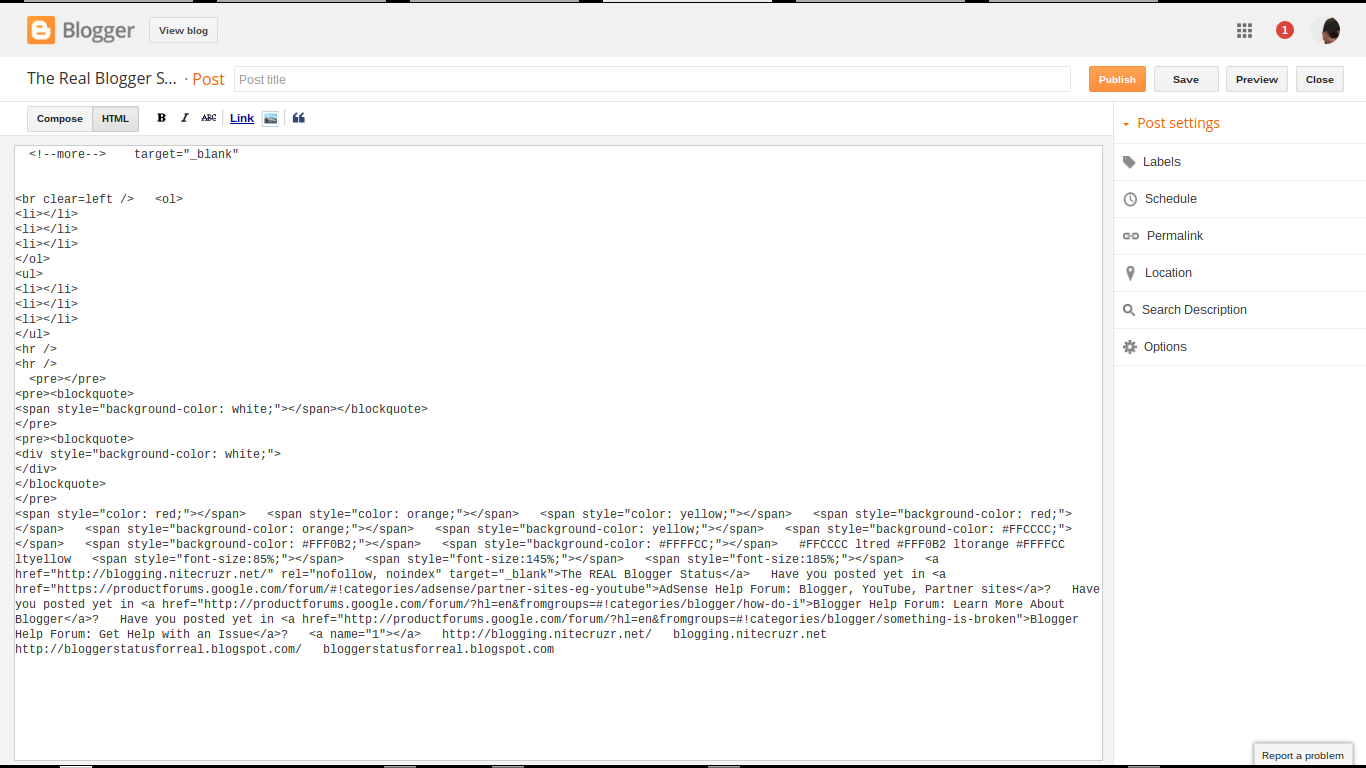

And when I Edit, then Save, there's the bogey, again.


This time, I Save - or wait until AutoSave kicks in.

And look at my Posts display.


And hitting Publish, I get another.


Here we see possibility for real confusion.


Be careful, and think - if this happens to you!

If you Save instinctively - or if you hesitate, and AutoSave activates, you end up with an extra draft post.


Be really careful, now!


The bogey is an "empty" post (with "post template" content).


Even with the bogey being "empty", look at the Posts list! If you Edit your post later, always make sure that you Edit the right post - with your updated content!!


If you end up with an extra draft post, be very careful to Delete or Edit the right post. Think carefully, before you continue!

Anyway, this problem is in the hands of Blogger Engineering.

Just don't Save - hit Close, immediately - and you'll see no long term weirdness. Until you Edit, again, of course.


This weekend, we see #Blogger Post Editor adding an extra post, when we Edit then Save a draft post. If you Close the unwanted post immediately, you'll see no lasting effects, however.

Blogger And iOS Mobile Computer Support

People frequently observe significant differences between products from Apple / Google / Microsoft.

Since all three corporations are separate (and highly competitive), they have their own corporate philosophies and development timelines. Despite all of that, Blogger tries to make their product supportable, across all corporate lines.

Unfortunately, the Blogger service is not always consistently usable, with all browsers - or mobile computer / smart phone apps.

One problem, that not all Blogger blog owners may realise, is that Apple does not submit their product changes to Google, for testing.

With a lack of advance testing, Blogger Engineering cannot react fast enough, to changes in iOS. The Blogger iOS app has long been a source of complaints, in Blogger Help Forum: Get Help with an Issue.

Blogger is rolling out SSL - and this delays other needed changes.

Right now, Blogger is making a major overhaul to their infrastructure, to support the SSL rollout. Simultaneously updating the Blogger app, to support iOS, would not likely be a productive activity.

With the SSL Rollout in process, Blogger suspended iOS app support some time ago. The Blogger app was removed from the Apple Store, several months ago - and this has been a source of various complaints, since.

Owners of iOS based computers need patience.

Apple Phone owners may need to be patient. Blogger Engineering may have to finish the SSL Rollout - hopefully, with support for custom domain publishing - and then rewrite the Blogger app for iOS.

In the mean time, iOS computer owners are suggested to use the Blogger dashboard, in a desktop browser, for maintaining and publishing their blogs. In order of recommendation - they should use Chrome, Firefox, or Safari.


The #Blogger smart phone app for iOS was removed from the Apple Store, some months ago. This was not a popular change - but it was a responsible business decision.


Blogger And iOS Mobile Support
http://blogging.nitecruzr.net/2016/06/blogger-and-ios-mobile-support.html
Blogger And iOS Mobile Computer Support
http://blogging.nitecruzr.net/2016/06/blogger-and-ios-mobile-computer-support.html

Would Be Followers Being Blocked By Blog Owners

This month, we have a few reports, in Blogger Help Forum: Get Help with an Issue, about problems Following some blogs.
Why am I being blocked, from Following?
Some would be Followers are taking this personally. Please, don''t do that.

What you're seeing (maybe, when trying to Follow this blog, too) is not an owner initiated conspiracy.

The Blogger Followers gadget rewrite is taking shape.


If you're trying to use a non Google account to login to Following, you'll be seeing this, for some blogs.


If you want to Follow some blogs, you will need to use a Google account. The OpenID and similar non Google logins are not usable, with Following, any more.

We were warned, several months ago, about changes to Followers.

As we mentioned some weeks ago, starting this week, we’ll remove the ability for people with Twitter, Yahoo, Orkut or other OpenId providers to sign in to Google Friend Connect and follow blogs. To follow a blog via Google Friend Connect now, readers will need a Google Account (the same they use for Gmail or YouTube).

It's happening, finally. One day, we'll have a new - and more stable - Followers gadget.


The #Blogger Followers gadget rewrite is continuing. This month, some would be Followers are seeing a notice, instead of the gadget, when they try to Follow some blogs, without Google accounts.

The Followers Gadget Rewrite Continues
Would Be Followers Being Blocked By The Blog Owner

Post Data Cannot Be Moved Above The Post Body

Blog owners have been requesting the ability to position various post content items above the post body, for years.

We've seen reports, in Blogger Help Forum: Get Help with an Issue, about problems moving Comments, Labels, Share Bar, and others.

Several years, "Arrange Items" was upgraded to allow Labels to be moved above the post body. That option was provided briefly - then removed later.

Depending upon what items are currently in a specific location, moving other items into - or out of - that location may or may not be successful.


The "Arrange Items" wizard is not magical.

Code for each item, which can be moved, has to specifically support repositioning into any one of the target boxes.


Any item move may, or may not, be successful. Various details may affect success.

  • Item being moved.
  • Item current location.
  • Item target location.
  • Other items in the same current location.
  • Other items in the same target location.
  • Post template status - customisation, etc.

Frequently, when a problem with "Arrange Items" is reported, the blog owner is trying to target a position above the post body.

Diagnosing a post template problem, which involves arranging items, can involve any of these details. Not so many blog owners want to re arrange items - and even less want to arrange items above the post body - so there is not a lot of experience with diagnosing these problems.

Success - or failure - may involve several scenarios.

In some cases, the drag and drop operation, in "Arrange Items", may not accomplish anything. The owner may drag the item into place - and watch as the item perversely moves itself back, to where it was.

In other cases, the move may appear successful. The item may seem to move, and stay where is is dropped.

The owner may Save - then refresh blog display, and see the item still where it was. Opening "Configure Blog Posts", the item may or may not be displayed where it is now - or where it is wanted.

In some cases, the item may be moved successfully - and some other item, in the original or current location, may stop working.

We have seen all of these problems reported. Frequently, there is only one course of action.

  • Reset the post template.
  • Start over.

In many cases, resetting the post template is the only way to repair a problem caused by moving an item to where it should not go. With the template reset, the owner will have to choose whether to try again - and risk a repeat, of the same problem.


Moving #Blogger post template items, from one location to another, is not always successful - and sometimes causes problems with other blog content. Attempting to move items above the post body is a frequent cause of problems.


https://productforums.google.com/forum/#!topic/blogger/Gv2Mgnpg3TE

https://productforums.google.com/forum/#!topic/blogger/u6mZEd1mjLY

https://productforums.google.com/d/topic/blogger/u6mZEd1mjLY/discussion

Contact Us

24x7 online , we happy to answer you
tamilcypc@gmail.com

Disclaimer

This Blog and its TUT's are intended for educational purposes only, no-one involved in the creation of this TuT may be held responsible for any illegal acts brought about by this Blog or TuT.


Featured Post

Custom Domains And HTTPS Redirection Code